
Bloodborne on PC: What Lantern Engine brings to the hunt
Lantern Engine brings Bloodborne to PC with high frame rates, graphics options and a dedicated launcher.

Lantern Engine brings Bloodborne to PC with a dedicated launcher, graphics options and support for higher frame rates. The community project lets players explore Yharnam on Windows, with a Linux build also available in beta.
Lantern Engine is unofficial and does not include the game. According to its GitHub repository, players need their own PS4 copy of Bloodborne, dumped with update 1.09 and the CUSA03173 game ID. PlayStation continues to list Bloodborne as a PS4 game.
How Lantern Engine works
Lantern Engine combines a launcher and an engine derived from the community’s bbport and shadPS4 work. The project says the game’s code runs on the PC’s CPU while graphics are translated to Vulkan. Players select their game folder in the launcher to start playing, and can adjust graphics and controls through its settings.
Frame generation and smoother play
The version 0.9.37 release notes list DLSS Frame Generation for RTX 40 and 50 series, with dynamic multi frame generation on RTX 50. The project also supports FSR 3.1 frame generation and using frame generation with HDR. These options depend on compatible hardware and settings.
The developer says expanded NVIDIA and AMD shader catalogs and building cached shaders before play should reduce stutter, particularly when entering new areas. The current release also addresses an issue that could leave frame rates low after lantern travel, along with judder at 60 FPS on high-refresh-rate displays.
Fixes for higher frame rates
Bloodborne’s original PS4 release targets 30 FPS. Lantern Engine’s built-in patches address several behaviors affected by higher frame rates: running jumps should travel as far as they do at 30 FPS, sliding down slopes after a drop should no longer be excessively fast at 60 FPS and above, and capes and coats should remain steadier at high or uncapped frame rates.
The project also supports mouse interaction in menus and character creation. Changed saves are backed up every ten minutes during play, in addition to the backup made at each start.
Bloodborne achievements in Ammonis
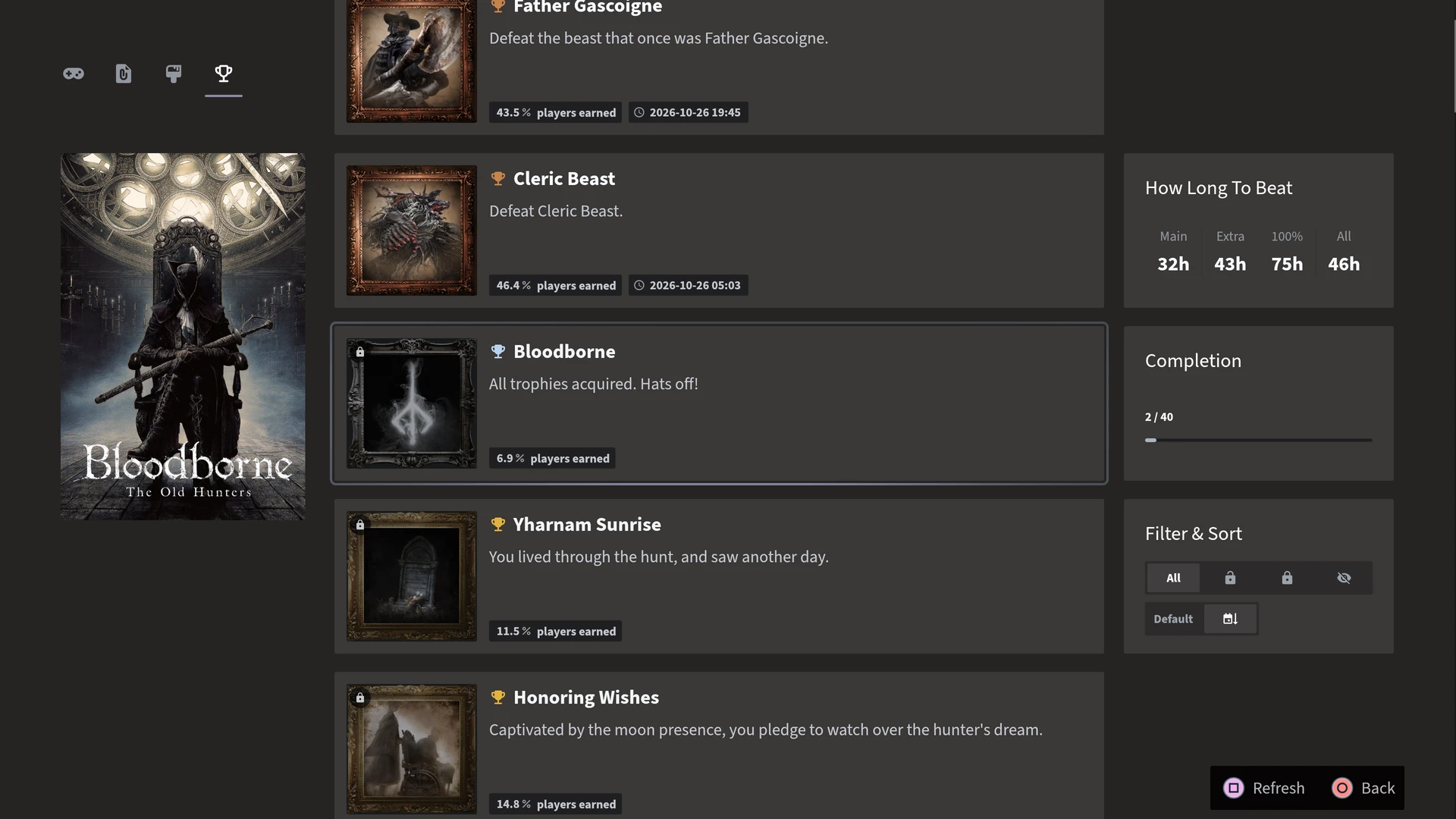
Ammonis v1.43.0 adds achievement support for Bloodborne installed through Lantern, using the active local player profile. Players can view PlayStation-style trophies, unlock progress and unlock rates, and receive Ammonis achievement notifications while playing. Lantern Engine also has its own achievement notifications. If those are enabled, players may see two notifications for the same achievement.

Windows and Linux
The project provides a Windows release and a Linux build, which the developer describes as a beta.
There are still limitations. For this release, the developer reports testing gameplay on an RTX 5060 under Windows, but not on AMD, Intel or older NVIDIA hardware; the Linux build was compiled and tested but not played on a physical Linux PC. Known issues include missing or blocky lighting on some systems, visual artifacts in certain areas and a Steam Deck Game Mode crash after the intro. Players should check the release notes for the current status before installing.
Sources and image
- Lantern Engine: project and setup requirements
- Lantern Engine: version 0.9.37 release notes
- PlayStation: Bloodborne
Cover: official Bloodborne artwork from PlayStation.